Buyer's guide · updated for the 2026 heating season
Smart and WiFi electric fireplaces
A fireplace you can turn on without getting up is a small pleasure that turns out to matter. Here is which units genuinely connect, what the app is actually good for, and the router problem nobody warns you about.
By Scooter M.Published September 21, 2026Last reviewed September 21, 2026

Disclosure: the buy links below are affiliate links. We earn a commission on Amazon purchases at no extra cost to you. It has never changed a ranking on this site, and every roundup here names a unit we think you should skip. How this site is funded.
The short answer
Smart features on a fireplace are worth having for one thing above all: the heat setting. Being able to drop from 1,500 W to 750 W, or switch the heater off while leaving the flame on, without standing up is the feature people actually use. Flame-color apps are a novelty you will stop opening. Buy a connected unit if you want voice control or scenes; if you only want to start the fire from the sofa, a remote does that for a fraction of the price.
What counts as smart here
The word gets used loosely in this category, and three quite different things hide behind it. Only the third is what most people mean.
- A remote. Every unit on this site has one. Not smart, and frequently sufficient.
- A touch screen on the unit. Common on the budget ultra-thins. Arguably a downgrade — you still have to walk over.
- WiFi with an app and voice assistants. The real thing: control from a phone anywhere in the house, and inclusion in Alexa or Google routines. This is the feature this page is about.
Every pick above except the deliberate skip does the third. Where a manufacturer only claims a remote or a touch panel, we have not counted it as connected.
Quick picks: connected fireplaces
Ranked. The running cost column is computed from each unit's rated wattage, not quoted from a manufacturer. Tap a row for the full write-up.
| # | Product | Best for | Cost per hour | Price |
|---|---|---|---|---|
| 1 | 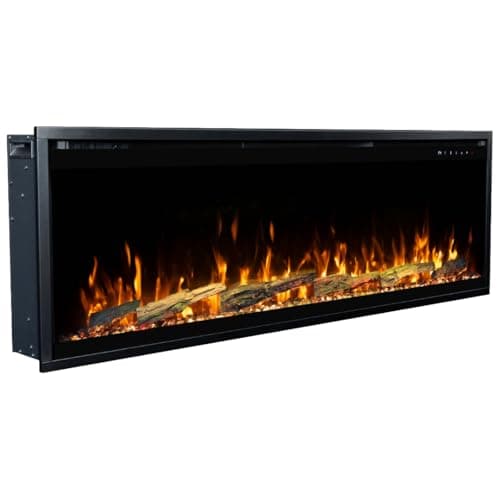 Touchstone Sideline Elite Pro 60 (80058)Touchstone's flagship linear fireplace, with the deepest firebox in the range and the fullest published control set. | The best-specified connected unit | 27.5¢1,500 W · 5,118 BTU | |
| 2 | 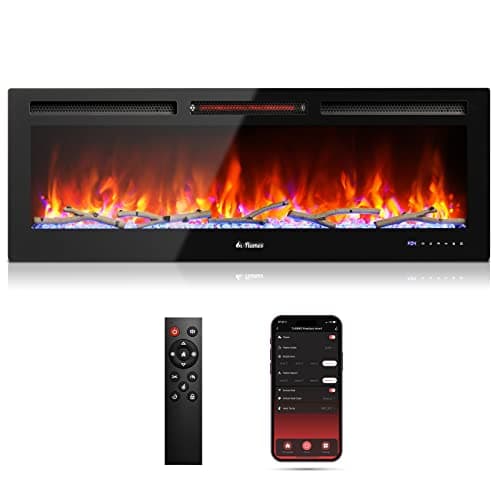 TURBRO In-Flame INF50W-3D 50" Smart WiFi Infrared FireplaceThe only connected unit here with an infrared heater and a published noise figure — 42 dB, which almost nobody quotes. | Smart control on a quiet heater | 27.5¢1,500 W · 5,118 BTU | |
| 3 | 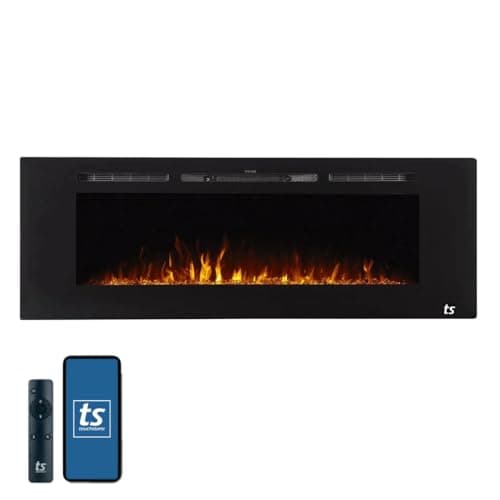 Touchstone The Sideline 60 (80011)WiFi with Alexa and Google, a genuine 750 W low stage and front venting, at the most sensible price in the connected bracket. | Smart control for the least money | 27.5¢1,500 W · 5,118 BTU | |
| 4 | 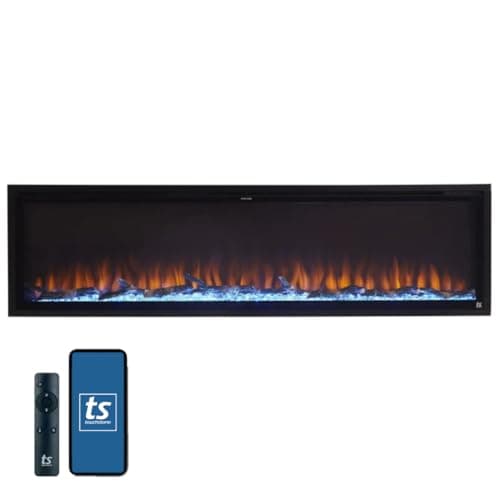 Touchstone Sideline Elite 72 (80038)The widest WiFi unit we cover — a 68-inch viewing area with app and voice control, for a wall that can take it. | Connected, at six feet | 27.5¢1,500 W · 5,118 BTU | |
| — | 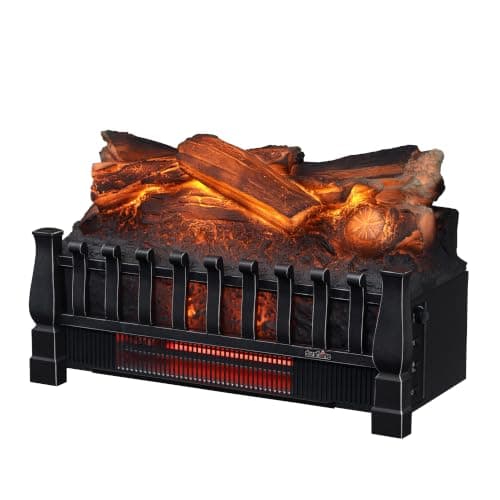 Duraflame DFI030ARU 20" Infrared Electric Fireplace Log SetOur best-value pick everywhere else, and it has no app, no WiFi and no voice control — just a remote, which for many people is enough.Skip this one | Nothing, if connectivity is the requirement | 27.5¢1,500 W · 5,118 BTU |
#ad Buy links are affiliate links — we earn a commission on Amazon purchases at no extra cost to you, and it never changes the ranking. How this site is funded. Running cost is computed at 18.34¢/kWh; see what these actually cost to run.
The 2.4 GHz problem
This is the single most common reason a smart fireplace fails to set up, and it has nothing to do with the fireplace. Almost every connected appliance in this price class — TURBRO's included, which states it explicitly — joins 2.4 GHz networks only. It cannot see a 5 GHz band at all.
Modern routers, particularly those supplied by ISPs, increasingly broadcast both bands under a single network name and decide for you which to use. When your phone is on 5 GHz and hands those credentials to a 2.4-only device, setup fails with an unhelpful error, and nothing about the message tells you why.
- Split the bands temporarily. Give 2.4 GHz its own network name in the router settings, join your phone to it, complete setup, then re-merge if you want.
- Or disable 5 GHz for five minutes. Cruder, works, and avoids permanent changes.
- Check the password has no exotic characters. Some appliance firmware handles a limited character set and fails silently on the rest.
- Put the phone next to the fireplace during pairing, not across the house.
- Expect the app to be unremarkable. These are appliance-maker apps, not software products. Judge the fireplace, not the interface.
What smart control does not change
Heat. Every connected unit here runs the same 1,500 W ceiling a 120 V circuit imposes on the entire category, so an app cannot make a fireplace warmer, faster or cheaper to run. What it changes is how easily you use the settings the unit already has — which, for the 750 W low stage in particular, genuinely affects what you spend over a season.
| Usage | Hours | Heat on (1,500 W) | Flame only (~100 W) |
|---|---|---|---|
| One evening | 4 | $1.10 | $0.07 |
| A week of evenings | 28 | $7.70 | $0.51 |
| A month, 4 hrs a night | 120 | $33.01 | $2.20 |
| A 90-day winter, 4 hrs a night | 360 | $99.04 | $6.60 |
| Per hour | 1 | 27.5¢ | 1.8¢ |
| Usage | Hours | Heat on (750 W) | Flame only (~100 W) |
|---|---|---|---|
| One evening | 4 | $0.55 | $0.07 |
| A week of evenings | 28 | $3.85 | $0.51 |
| A month, 4 hrs a night | 120 | $16.51 | $2.20 |
| A 90-day winter, 4 hrs a night | 360 | $49.52 | $6.60 |
| Per hour | 1 | 13.8¢ | 1.8¢ |
That gap is the strongest financial argument for connectivity. A two-stage fireplace you actually run on low, because dropping it takes a tap rather than a trip across the room, costs roughly half as much per hour. The running cost calculator will price it against your own tariff.
Before you pay the smart premium
- Confirm it is WiFi, not just a remote. The listing word to look for is the assistant name — Alexa or Google — not "smart".
- Check the band requirement and plan for the 2.4 GHz split before the unit arrives.
- Decide whether you want scenes. Voice control matters most if the fireplace joins a lighting routine; on its own it is a convenience.
- Do not pay for connectivity on a single-stage heater. The best use of an app is changing heat levels, which needs a unit that has more than one.
- Remember the flame runs without heat on every unit here, which is how most people use them most of the year, app or not.
Questions people actually ask
Which electric fireplaces work with Alexa and Google Home?
On this site, the Touchstone Sideline 60, Sideline Elite 60 and 72, the Sideline Elite Pro 60, and TURBRO's In-Flame units. All of them are WiFi-enabled with app control and voice assistant support stated by the manufacturer.
Why won't my electric fireplace connect to WiFi?
Almost always the 2.4 GHz band. Connected appliances in this class join 2.4 GHz networks only, and modern routers often merge both bands under one name — so your phone hands over 5 GHz credentials the fireplace cannot use. Split the bands temporarily or disable 5 GHz during setup.
Is a smart electric fireplace worth it?
For the heat controls, often yes — being able to drop from 1,500 W to 750 W or switch the heater off from another room is the feature people keep using, and on a two-stage unit it genuinely reduces running cost. For flame colors, no: that novelty wears off in a week and a remote handles it.
Does WiFi make an electric fireplace heat better?
No. Every unit is capped at 1,500 W by a 120 V circuit, about 5,118 BTU per hour, connected or not. An app changes how easily you reach the settings, not what the heater can do.
Can I control an electric fireplace when I'm not home?
On the WiFi units, generally yes through the manufacturer's app. Whether you should is a different question — these are 1,500 W heaters, and most safety guidance is against running one unattended. The more useful remote case is switching it off from elsewhere in the house.
Sources
Every figure on this page is either taken from one of these documents or computed from a formula shown on the page. Nothing here is recalled from memory.
- Touchstone Sideline Elite Pro 60 (80058) product page — 60 x 19 1/4 x 6 5/16 in, 66 lb, 750/1500 W, 5,000 BTU, 400 sq ft, coil wire heater with blower, spacer kit for 2x4 walls
- Home Depot — TURBRO INF50W-3D, 50 in, 1,500 W infrared quartz, 50 x 16 x 4.6 in, 47.6 lb, 400-1,000 sq ft, 42 dB
- Touchstone Sideline 60 (80011) product page — 60 x 21.5 x 5.5 in, 5,000 BTU, 400 sq ft
- Touchstone Sideline Elite 72 (80038) product page — 71 3/4 x 19 1/4 x 5 1/2 in, 100 lb, 750/1500 W, 5,118 BTU, 68 x 14 3/8 in viewing area, rough opening 70 3/4 x 18 1/4 x 5 1/2 in
- Duraflame DFI030ARU — infrared quartz log set, 1,000 sq ft rating
- EIA Electric Power Monthly, Table 5.3 — US residential average, June 2026
Read next
- Touchstone electric fireplaces: which one to buy
Eight Touchstone families explained by what actually differs — width, depth and the front of the unit — because the heater is the same in all of them.
- The best infrared electric fireplaces
Five infrared units where the maker states the heater type, plus the hybrid problem that makes the word unreliable on a listing.
- 72-inch electric fireplaces
Four 72-inch units from about $280 to $2,279, compared on depth, weight and rough opening — the specifications that decide a six-foot install.
- Electric fireplace troubleshooting
Every common symptom with its likely cause and fix — beeping, clicking, dead remote, stopped flames, no heat. No products.
- What an electric fireplace costs to run
27.5 cents an hour on heat, under two cents on flame alone — computed at the real 2026 rate, with the source.